
Player 1
Slow or fast walk, high jump, no jump, long dash, double jump, giant, tiny, frozen, heal, hurt or charge the EX meter.
Your chat jumps into the fight: they make you giant or tiny, take away your jump or parry, swap your weapon, flip the screen or drain the boss's health.
Four stops, in under a second.
From TikTok, Twitch, Kick, YouTube or Starvios: a gift, a follow, likes or a chat command.
Receives the event, checks your active profile for the matching effect and sends it.
A mod the app installs with BepInEx in the game folder that runs every effect inside your game.
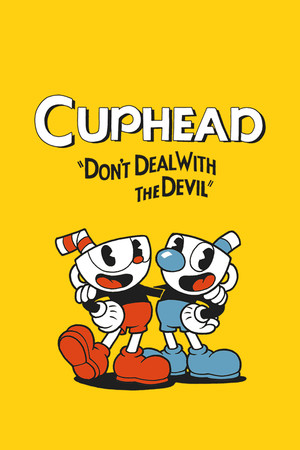
The effect hits Cuphead or Mugman mid-fight, instantly.
Everything happens from the game's status bar, at the bottom of the app.
It detects Cuphead on Steam. If it lives somewhere else, press «Set path» in the bar below and pick the folder.
Press «Install mod» with the game closed. The app downloads BepInEx, the standard mod loader for Unity games, and drops the OverInteractive mod in its folder. No original file is touched.
Press «Launch game» or open it from Steam as usual. BepInEx loads the mod on its own when the game starts.
Once the game finishes starting, the bar below switches to «Connected». Enter a level and from then on every gift reaches the fight.
In «Profiles» create an example one in a click or build your own: each gift, follow or chat command fires the effect you pick.
Each effect is assigned to a gift, a follow, likes or a chat command.
Slow or fast walk, high jump, no jump, long dash, double jump, giant, tiny, frozen, heal, hurt or charge the EX meter.
The same effects for the second player when two play on the same PC.
Ultra weapon, no firing, no switching, no parry, more or less damage, a random weapon or forcing Peashooter, Spread, Chaser, Lobber, Charge or Roundabout.
Damage or heal the boss, show its health on screen or win the fight outright.
Invulnerable, invisible, inverted controls, slow motion, flipped or spinning screen, zoom, Black & White or Two Strip filters, and coins coming or going.
On the world map or in a menu the effect is not applied. Some don't work in every level either: jumps and dashes not in plane levels, screen spins not in run and gun levels, and weapon effects not in mausoleums.
They only work if there is a second player in the game. If you play solo, leave the ones ending in «P2» out of your profile.
«Back to Tutorial» leaves the current level and sends you to the tutorial, and «Kill P1» kills you on the spot. Save them for big gifts.
When a new version is out, the bar below shows it next to the mod and it installs in one click, with the game closed.
Download OverInteractive for free: this same guide is waiting inside the app, in the game's «Start» tab.
Download free