
CJ
Heal, body armor, HESOYAM, invincibility, mega jump, jetpack, set him on fire, launch him into the air, alien abduction, change skin, fat or ripped.
Your chat inside San Andreas: legendary cheats like HESOYAM or flying cars, gangs going after CJ, a tank right in front, police stars, a black hole… and your own effects with the Custom Command.
Four stops, in under a second.
From TikTok, Twitch, Kick, YouTube or Starvios: a gift, a follow, likes or a chat command.
Receives the event, checks your active profile for the matching effect and sends it.
A mod the app installs in the game folder. It applies every effect inside your game and also opens the game in a borderless window that keeps running while you are in OBS or the chat.
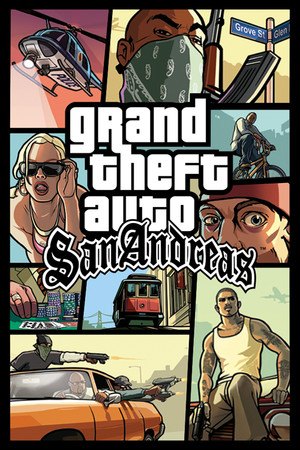
The effect reaches CJ as soon as the gift arrives, while you play the story.
Everything happens from the game's status bar, at the bottom of the app.
It detects GTA San Andreas in your Steam library. If it lives somewhere else, press «Set path» in the «Game» step of the bar below and pick the folder with gta-sa.exe (Steam) or gta_sa.exe (1.0 US).
If that folder contains a «Gameface» folder, it is the Definitive Edition: not compatible, and the app will tell you.
Press «Install mod» with the game closed. The app puts the OverInteractive mod in the game folder; if you already have another mod loader (for CLEO, for example), it leaves it alone and works alongside it.
Open it from Steam or with «Launch game». It opens in a full-screen borderless window: you can switch to OBS or the chat without flicker or pausing.
The bar below switches to «Running · Connected». As soon as CJ is on the street, every gift reaches your game.
In «Profiles» create an example one in a click or build your own: each gift, follow or chat command fires the effect you pick.
Each effect is assigned to a gift, a follow, likes or a chat command.
Heal, body armor, HESOYAM, invincibility, mega jump, jetpack, set him on fire, launch him into the air, alien abduction, change skin, fat or ripped.
A tank or a Hydra in front, swap the car on the move, no brakes, take it apart piece by piece, flying cars, pink or turbo traffic and road accidents.
Armed gangs, spec ops, chainsaw clowns, motorcycle cops, rocket-launcher pedestrians, riots… or Grove Street bodyguards.
More stars, six stars at once, set the exact level, clear it or a circle of bribes.
Any weapon, heavy weapons, infinite ammo, take them all away, money in or out, a cash rain and a care package.
Storm or fog, time of day, slow or fast motion, Matrix mode, explosions, earthquake, minefield and a black hole.
Flashbang, thermal or night vision, drunk and cinematic bars.
Any of the game's cheats. The ones that switch on and off last as long as you say and switch off by themselves.
Write your own effects by combining cheats and game commands, with templates to start from. Plus a panic button that stops it all.
It is being built and changes often. Test it before using it on a live stream.
It works with the classic 2005 San Andreas (Steam or 1.0 US). The Definitive Edition and «The Trilogy» are a different game under the hood, rebuilt on another engine, and aren't compatible for now. The classic hasn't been sold since 2021: a recent purchase or GTA+ means the Definitive Edition.
We are looking into supporting the Definitive Edition and The Trilogy, but it depends on your reports. If its use isn't reported, we will prioritize the moddable versions over the store versions. Do you play it? Tell us on Discord.
In the menu, in a cutscene, while dead or when the game takes control away, the effect waits a few seconds and, if it can't run, it is dropped with the reason.
Vehicle ones only work if CJ is in one, and the abduction only on foot. If that isn't the case, the command fails with the reason instead of doing something else.
The money, weapons and stars the chat leaves are real. If you don't want them in your save, don't save right after a burst of effects.
Download OverInteractive for free: this same guide is waiting inside the app, in the game's «Start» tab.
Download free