● Roblox

Your chat runs the race on Roblox

Connect TikTok Live, Twitch, Kick, YouTube or Starvios: in Galactic Race, our first Roblox minigame, every viewer flies a ship with their name and every gift boosts it or slows down the ship ahead — in real time.

11Commands
3Categories
24Pilots

How an event travels

From your viewer's gift to the ship on the track, by way of the cloud.

TikTok / Twitch

A gift, reward or chat message from your audience.

OverInteractive

The app receives the event and drops it in your mailbox on the OverInteractive cloud.

Minigame on Roblox

The minigame runs on Roblox's servers, linked to your account: it picks up the gifts from the cloud and sends back the state of the match.

Galactic Race

The viewer's ship boosts, shields up or attacks the one ahead, and the camera shows who fires what at whom.

No code

Everything is handled from the app. No programming, and nothing to install on your PC.

01

Install the app

Download OverInteractive for Windows and sign in: the Roblox link goes through your account.

02

Connect your platform

Link your TikTok Live, Twitch, Kick, YouTube or Starvios account from the app.

03

Open and link the minigame

In «Minigames» press «Open and link»: Roblox opens Galactic Race and links by itself. If not, use a code in the game's chat.

04

Join your private server and go live

Create your private server (it's free), join it and let chat enter the race.

What they can do

Your audience flies the race

Effects ready to map to gifts, rewards or chat commands.

The grid

Race

Each viewer joins with a ship in their colour and their name; up to 24 pilots per race, with the standings in view.

  • !join to enter; with their Roblox username they show up with their avatar on the grid and podium
  • Gifting while not racing still gets them in, behind the pack
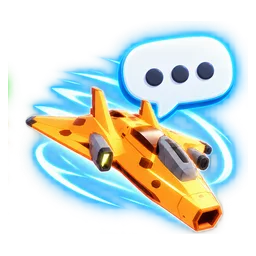
  • Chat bubble over the ship and full standings on screen
The attacks

Attacks

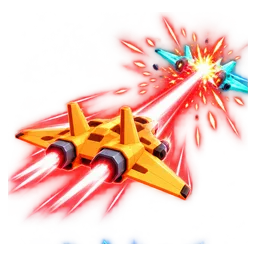
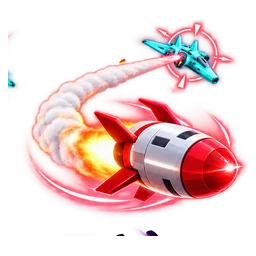
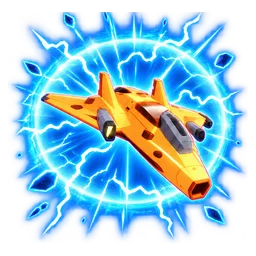
Laser, homing missile, EMP blast and black hole against the ships ahead. None knocks anyone out of the race: they only slow down.

  • Laser and missile aim at and slow the ship ahead
  • The EMP stalls every nearby ship
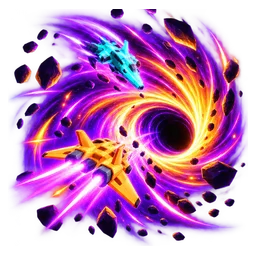
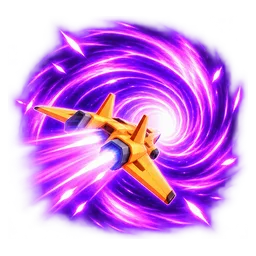
  • The black hole sweeps the track and freezes the ships it catches

The boosts

Help

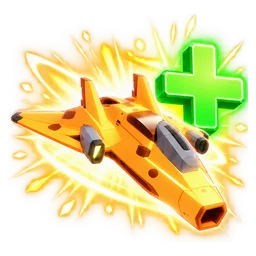
Boost, sonic boom, shield and hyperjump for the viewer's ship, with duration and power tunable on each command.

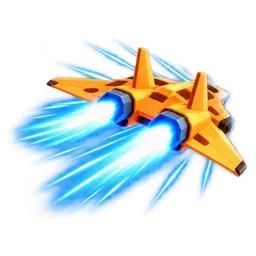
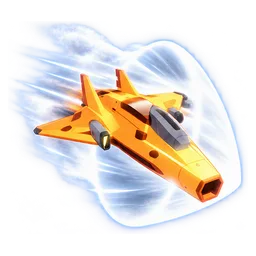
  • Stacking boost and the sonic boom's burst of speed
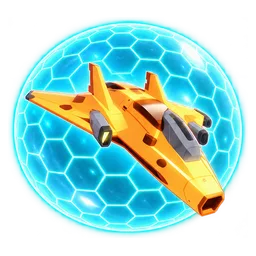
  • Shield that blocks every attack for a while
  • Hyperjump: goes further than the sonic boom
PLATFORMS

Connect where you stream

TikTok, Twitch, Kick, YouTube and Starvios. Connect one or several: triggers work the same wherever the event comes from.

TikTok

Native — Recommended

Direct connection to your TikTok Live from the app. No extra software or accounts.

  • Built-in WebView2 login
  • Gifts, follows, likes, chat and share
  • No external dependencies

TikFinity

Bridge

If you already use TikFinity for alerts or overlays, OverInteractive links over WebSocket and reuses your session.

  • Lives alongside your existing overlays
  • WebSocket localhost:21213
  • Same event coverage as native

Twitch

OAuth + EventSub

Device Code Flow login and real-time event subscriptions. Map channel point rewards, subs, bits and follows.

  • Channel points by rewardId
  • Subs, bits, follows, raids
  • Safe for your account — official OAuth

Kick

OAuth + Webhooks

OAuth login and official events over webhooks. Map Kicks, subs and follows from your Kick channel.

  • Kicks, subs and gifted subs
  • Follows and chat
  • Works alongside TikTok, Twitch and YouTube

YouTube

Just your @handle

Connect your YouTube live by typing your @handle, no sign-in needed. Map Super Chats, Super Stickers, memberships and chat messages.

  • Super Chat and Super Sticker by amount
  • New members, milestones and gifted memberships
  • Chat and emotes

Starvios

Just your channel

Connect your Starvios live by typing your channel. Map Starvies, subs, follows, raids, Star Showers and chat messages.

  • Starvies by amount
  • Subs and gifted subs
  • Chat, follows and raids
COMPATIBILITY

No mod: it runs on Roblox

The minigames are OverInteractive's own experiences published on Roblox. They run on its servers and link to your account through the cloud — nothing is installed on your PC.

Good to know

  • First minigame: Galactic Race. More will follow, and the link is the same for all of them.
  • Opened from the app it links by itself; if not, type /link CODE in the Roblox chat (single use, expires after 10 minutes).
  • Best on a private server of your own, so only you control the match. It connects by itself, today and next time.
  • Roblox can't show pictures from other platforms: in game you see the viewer's name, and their picture shows up in the OBS overlay.
Getting started

Ready in 4 steps

Nothing to install: all you need is Roblox, your OverInteractive account and a private server.

  1. 01

    Open and link

    In the app, under Roblox › «Minigames», press «Open and link»: Roblox opens the minigame and links it to your account.

  2. 02

    Join your private server

    On the game's page, «Servers» tab, create your private server and join it. The app marks it as connected.

  3. 03

    Map your gifts

    Start from the example profile: !join to enter and one gift for each ability.

  4. 04

    Add the overlay and go live

    Copy the overlay URL into OBS: the standings with each viewer's picture and the hits.

See the full step-by-step guide →

Command list

Everything your audience can trigger

Commands ready to map to gifts, rewards or chat commands.

Join the Race

Race

The viewer joins with a ship in their colour and their name. Optional Roblox username from the chat (e.g. !join builderman) to fly with their avatar on the grid and podium.

Show Standings

Race

Puts the full standings (every pilot, not only the side tower) in the middle of the screen for a few seconds. In game: Tab key.

Chat Bubble

Race

The viewer's message appears as a bubble over their ship (filtered by Roblox).

Laser

Attacks

Aims and fires at the ship ahead: it slows down for a moment. Duration = how long it stays slowed.

1s

Homing Missile

Attacks

Drops from under the ship, ignites and chases the ship ahead until it hits. Big slowdown. Duration = how long it stays slowed.

3s

EMP Blast

Attacks

An electric shockwave that stalls every nearby ship. Duration = how long they stay slowed.

2s

Black Hole

Attacks

Opens right in front of the sender and sweeps down the track: every ship ahead it catches is frozen in place until the sender flies past it, then recovers from zero. Duration = the longest a ship can stay frozen. The most expensive.

8s

Boost

Help

Afterburners: extra speed for a few seconds. Stacks.

3s

Sonic Boom

Help

Breaks the sound barrier: vapour cone, bang and a big burst of speed.

3s

Shield

Help

Immune to every attack for a while.

8s

Hyperjump

Help

Charges, opens a portal and dashes ahead at full speed, immune the whole way. Goes further than the sonic boom.

REQUIREMENTS

Requirements

SystemWindows 10 or 11
GameRoblox on the streaming PC, with a Roblox account
AppOverInteractive (free), signed in
PlatformTikTok Live, Twitch, Kick, YouTube or Starvios

Frequently asked questions

Your stream, in your audience's hands

Download OverInteractive and let chat decide who crosses the finish line first.

Download free