● The Classrooms

Your audience makes the noise

Connect your stream and turn every gift into a scream, an alarm or an entity hunting you through the school, in real time.

48Commands
4Categories

How an event travels

From your viewer's gift to the on-screen effect, in about one frame.

TikTok / Twitch

A gift, reward or follow from your audience.

OverInteractive

The app receives the event and translates it into a game command.

Mod (BepInEx)

Receives the command over a local socket and runs it inside the game.

The Classrooms

The entities hear the sound and come looking for you; the screen shows who sent it.

No code required

Everything is handled from the app. No programming or editing game files needed.

01

Install the app

Download OverInteractive for Windows and install it in seconds.

02

Connect your platform

Link TikTok Live, Twitch, Kick, YouTube or Starvios from the app.

03

Install the mod

One click installs BepInEx and the OverInteractive plugin in your The Classrooms folder.

04

Launch and hide

Open The Classrooms, enter a level and start your interactive horror stream.

What they can do

Your audience decides how loud you are

Effects ready to map to gifts, rewards or chat commands.

Noise they hear

Sounds

The game's own sounds play on stream and the entities hear them as if they came from your mic.

  • Screams, roars, breaking glass, fire alarm, dogs and more
  • Custom sound: any audio from your library reaches the entities too
  • Reach set per command, from 10 to 150 meters

Entities on the hunt

Entities

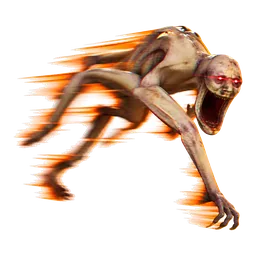
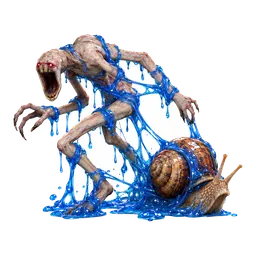
The game's creatures spawn at the distance you choose and search for you with their own AI.

  • 17 entities: Gangler, Smiley, Screecho the Clown, the Demon Dog…
  • Minimum and maximum distance in a single control, from 1 to 200 meters

  • Send them after you, speed them up or lure them away

Breathers and chaos

Help

Chat can also save you… or make your escape harder with the game's own effects.

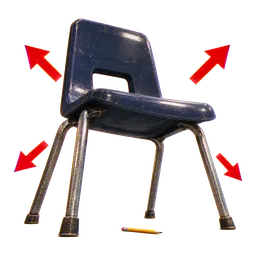
  • Freeze or slow the entities and god mode
  • Speed boost, super jump and silent steps
  • Shrink, grow, rocket jump and mystery gumball
PLATFORMS

Connect where you stream

TikTok, Twitch, Kick, YouTube and Starvios. Connect one or several: triggers work the same wherever the event comes from.

TikTok

Native · Recommended

Direct connection to your TikTok Live from the app. No extra software, no extra accounts.

  • Login with built-in WebView2
  • Gifts, follows, likes, chat and share
  • No external dependencies

TikFinity

Bridge

If you already use TikFinity for alerts or overlays, OverInteractive links to it over WebSocket and reuses your session.

  • Plays nicely with your existing overlays
  • WebSocket localhost:21213
  • Same event coverage as native

Twitch

OAuth + EventSub

Device Code Flow login and real-time event subscription. Map channel point rewards, subs, bits and follows.

  • Channel Points by rewardId
  • Subs, bits, follows, raids
  • Safe for your account — official OAuth

Kick

OAuth + Webhooks

OAuth login and official events over webhooks. Map Kicks, subs and follows from your Kick channel.

  • Kicks, subs and gifted subs
  • Follows and chat
  • Works alongside TikTok, Twitch and YouTube

YouTube

Just your @handle

Connect your YouTube live by typing your @handle, no sign-in needed. Map Super Chats, Super Stickers, memberships and chat messages.

  • Super Chat and Super Sticker by amount
  • New members, milestones and gifted memberships
  • Chat and emotes

Starvios

Just your channel

Connect your Starvios live by typing your channel. Map Starvies, subs, follows, raids, Star Showers and chat messages.

  • Starvies by amount
  • Subs and gifted subs
  • Chat, follows and raids
COMPATIBILITY

Works with your Steam copy

Powered by BepInEx 6, the standard mod loader for Unity games. The mod connects to the app over a local socket and runs every command inside the game.

Good to know

  • The app installs BepInEx and the OverInteractive plugin for you.
  • If a gift arrives while the level is generating or after you die, the effect waits and applies as soon as you are back in the game.
  • Only command sounds reach the entities: your alerts, TTS and the rest of the app's audio do not attract them.
  • Removable anytime: uninstalling from the app removes the mod. BepInEx stays in the folder and, without mods, the game runs as usual.
Setup

Ready in 4 steps

The app installs BepInEx and the OverInteractive plugin in your The Classrooms folder, both fully removable.

  1. 01

    Open OverInteractive

    The app finds your The Classrooms install on Steam; if it lives elsewhere, you pick the folder.

  2. 02

    Install the mod

    Click Install on the The Classrooms card. The app sets up BepInEx and the plugin.

  3. 03

    Launch the game

    Open The Classrooms and enter a level. BepInEx loads the OverInteractive connector automatically.

  4. 04

    Connect and go live

    Map gifts and rewards to commands in the app and start your stream.

See the full step-by-step guide →

Command list

Everything your audience can trigger

Commands ready to map to gifts, rewards or chat commands.

Play Sound

Sounds

Plays the chosen game sound at the player. Entities within reach hear it and come looking.

Stackable

Scream

Sounds

A man screams at the player's position. Entities within reach hear it.

Stackable

Monster Roar

Sounds

A huge monster roars at the player's position. Entities within reach hear it.

Stackable

Kid Laugh

Sounds

A creepy child laughs at the player's position. Entities within reach hear it.

Stackable

Glass Break

Sounds

Glass shatters at the player's position. Entities within reach hear it.


Stackable

Door Slam

Sounds

A metal door slams at the player's position. Entities within reach hear it.

Stackable

Explosion

Sounds

An explosion goes off at the player's position. Entities within reach hear it.

Stackable

Fire Alarm

Sounds

A fire alarm rings for a few seconds. Entities within reach hear it the whole time.

Stackable

Barking Dogs

Sounds

A pack of dogs barks at the player's position. Entities within reach hear it.

Stackable

Crying Babies

Sounds

Babies cry for a few seconds. Entities within reach hear it the whole time.

Stackable

Bell

Sounds

An elevator bell dings at the player's position. Entities within reach hear it.

Stackable

Skibidi

Sounds

"How's it going?" in Skibidi's voice. Entities within reach hear it.

Stackable

Custom Sound

Sounds

Plays a sound from your audio library on stream. Entities hear it at the same time, as if it came from the player.

Stackable

Silent Scream

Sounds

Entities hear a loud shout from the player, with no sound on stream. Like yelling into the mic.

2sStackable

Spawn Entity

Entities

Spawns the chosen entity at the chosen distance (40-90 m by default). It hunts with its own AI.

Stackable

Random Entity

Entities

Spawns a random entity at the chosen distance (40-90 m by default).

Stackable

Gangler

Entities

Spawns a Gangler (ARC-011) at the chosen distance (40-90 m by default).

Stackable

Shadow Gangler

Entities

Spawns a Shadow Gangler (ARC-011c) at the chosen distance (40-90 m by default).

Stackable

Ancient Gangler

Entities

Spawns an Ancient Gangler (ARC-011d) at the chosen distance (40-90 m by default).

Stackable

Mangler

Entities

Spawns a Mangler (ARC-011b) at the chosen distance (40-90 m by default).

Stackable

Ancient Mangler

Entities

Spawns an Ancient Mangler (ARC-011e) at the chosen distance (40-90 m by default).

Stackable

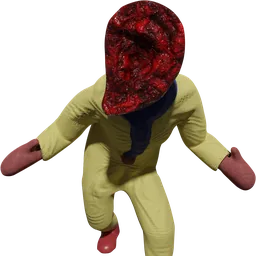
Smiley

Entities

Spawns Smiley (ARC-608) at the chosen distance (40-90 m by default).

Stackable

Screecho the Clown

Entities

Spawns Screecho the Clown (ARC-555) at the chosen distance (40-90 m by default).

Stackable

The Tenant

Entities

Spawns The Tenant (ARC-470) at the chosen distance (40-90 m by default).

Stackable

Centipede

Entities

Spawns the Centipede at the chosen distance (40-90 m by default).

Stackable

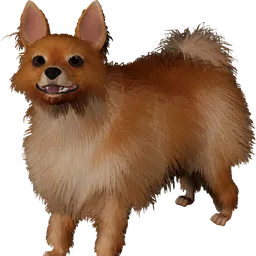
Demon Dog

Entities

Spawns the Demon Dog at the chosen distance (40-90 m by default).

Stackable

The Grinner

Entities

Spawns The Grinner at the chosen distance (40-90 m by default).

Stackable

Whispering Wyrm

Entities

Spawns a Whispering Wyrm (ARC-708) at the chosen distance (40-90 m by default).

Stackable

Alpha Wyrm

Entities

Spawns an Alpha Wyrm (ARC-708b) at the chosen distance (40-90 m by default).

Stackable

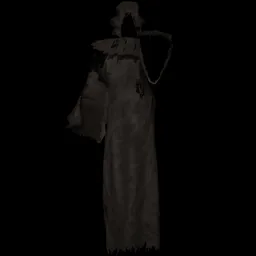
Cloaked Figure

Entities

Spawns the Cloaked Figure (ARC-216) at the chosen distance (40-90 m by default).

Stackable

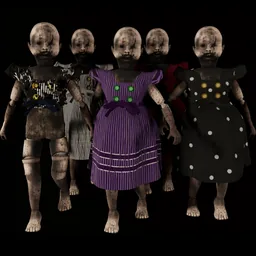
Cursed Doll

Entities

Spawns a Cursed Doll (ARC-004) at the chosen distance (40-90 m by default).

Stackable

Hell Doll

Entities

Spawns a Hell Doll (ARC-004c) at the chosen distance (40-90 m by default).

Stackable

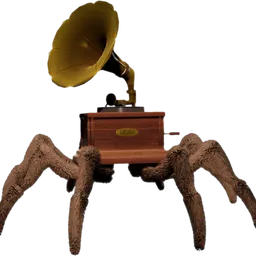
Arachnophone

Entities

Spawns the Arachnophone at the chosen distance (40-90 m by default).

Stackable

Hunt the Player

Entities

Every entity on the level heads straight for the player.

Fast Entities

Entities

Entities move almost twice as fast for a while.

15s

Freeze Entities

Help

Every entity freezes in place for a while.

10s

Lure Away

Help

Every entity walks about 40 m away from the player.

Slow Entities

Help

Entities move at less than half speed for a while.

15s

God Mode

Help

Entities cannot kill the player for a while.

15s

Speed Boost

Help

The player runs twice as fast for a while.

20s

Super Jump

Help

The player jumps much higher for a while.

20s

Silent Steps

Help

The player's footsteps make no noise for a while.

30s

Slow Player

Chaos

The player moves at half speed for a while.

15s

Shrink

Chaos

The player shrinks for a while.

20s

Grow

Chaos

The player grows tall for a while.

20s

Zoomies

Chaos

Gives the player the game's zoomies effect.

Stackable

Rocket Jump

Chaos

Gives the player the game's rocket jump.

Stackable

Mystery Gumball

Chaos

Applies a random gumball effect, like eating one in the game.

Stackable
REQUIREMENTS

Requirements

SystemWindows 10 or 11
GameThe Classrooms for PC
AppOverInteractive (free)
PlatformTikTok Live, Twitch, Kick, YouTube or Starvios

Frequently asked questions

Your stream, in your audience's hands

Download OverInteractive and let your audience decide how loud you are.

Download free