
Your audience feeds input straight into the game — for better or worse.
- Force Star Power activation
- Ghost strums that break the streak
- Hold all five frets to force misses
- Whammy wiggle and mid-song pause
Connect TikTok Live, Twitch, Kick, YouTube or Starvios and turn every gift into Star Power, a ghost strum, fret chaos or a full-screen blackout — in real time.
From your viewer's gift to the on-screen effect, in about one frame.
A gift, reward or follow from your audience.
The app receives the event and translates it into a game command.
Receives the command over a local socket and runs it in the game.
Star Power, whammy, fret chaos or a screen effect fires on the highway.
Everything is handled from the app. No programming or editing game files needed.
Download OverInteractive for Windows and install it in seconds.
Link your TikTok Live, Twitch, Kick, YouTube or Starvios account from the app.
One click installs BepInEx plus the OverInteractive plugin into your Clone Hero folder.
Open Clone Hero and start your interactive rhythm stream.
Effects ready to map to gifts, rewards or chat commands.
Your audience feeds input straight into the game — for better or worse.
The mod paints over the highway — always visible, notes or not.
Every effect carries the viewer who triggered it.
TikTok, Twitch, Kick, YouTube and Starvios. Connect one or several: triggers work the same wherever the event comes from.
Direct connection to your TikTok Live from the app. No extra software, no extra accounts.
If you already use TikFinity for alerts or overlays, OverInteractive links to it over WebSocket and reuses your session.
Device Code Flow login and real-time event subscription. Map channel point rewards, subs, bits and follows.
OAuth login and official events over webhooks. Map Kicks, subs and follows from your Kick channel.
Connect your YouTube live by typing your @handle, no sign-in needed. Map Super Chats, Super Stickers, memberships and chat messages.
Connect your Starvios live by typing your channel. Map Starvies, subs, follows, raids, Star Showers and chat messages.
Powered by BepInEx 6 IL2CPP. Effects are produced by injecting the game's own input — no chart reading, no obfuscated internals.
The app installs BepInEx and the OverInteractive plugin into your Clone Hero folder — both fully removable.
A guided wizard finds your Clone Hero install (it is not on Steam).
Click Install on the Clone Hero card. The app sets up BepInEx and the plugin.
Open Clone Hero. BepInEx loads the OverInteractive connector automatically.
Map gifts and rewards to commands in the app and start your stream.
Commands ready to map to gifts, rewards or chat commands.

Forces Star Power activation (tilt). Deploys it if the player has any banked.

Ghost-strums with no fret held, breaking the note streak.

Holds all five frets down at once, forcing misses.

Wiggles the whammy bar during sustained notes.

Taps the pause button — pops the pause menu mid-song.

Covers the whole screen in black — you can't see the notes.

Drops an opaque band over the middle of the highway.
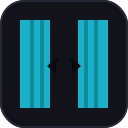
Black panels slide in from both sides.
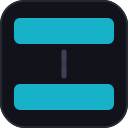
Black bars close in from the top and bottom.

Darkness creeps in from every edge.

A translucent haze washes over the screen.

Rapid colour flashing across the whole screen.

A blinding white flash that fades out.

Washes the screen in a random colour.
Download OverInteractive free and go live with Clone Hero.
Download free