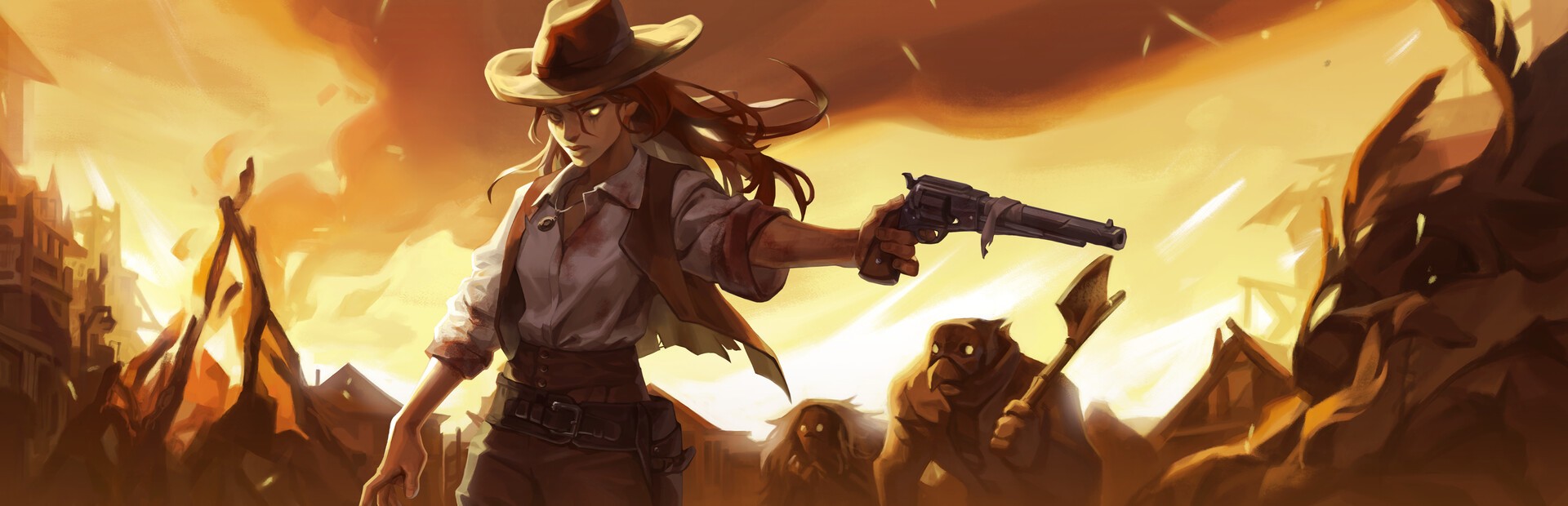
● Kill The Crows

Your audience runs the arena

Connect TikTok Live, Twitch or Kick and turn every gift into an enemy, a boss, an extra life or a wall of bullets — in real time.

46Commands
6Categories

How an event travels

From your viewer's gift to the on-screen effect, in about one frame.

TikTok / Twitch / Kick

A gift, reward or follow from your audience.

OverInteractive

The app receives the event and translates it into a game command.

Mod (BepInEx)

Receives the command over a local socket and runs it in the game.

Kill The Crows

The enemy, the boss, the slow motion or the chaos happen in the arena.

No code

Everything is handled from the app. No programming or editing game files needed.

01

Install the app

Download OverInteractive for Windows and install it in seconds.

02

Connect your platform

Link your TikTok Live, Twitch or Kick account from the app.

03

Install the mod

One click installs BepInEx and the OverInteractive plugin into the Kill The Crows folder.

04

Launch and shoot

Open Kill The Crows and start your interactive arena.

What they can do

Your audience runs the arena

Effects ready to map to gifts, rewards or chat commands.

The gunslinger

Body

Your audience cares for or punishes the gunslinger — heals, damages, makes them invincible, swaps their revolver, and even sets how many lives they start with.

  • Heal, damage or full heal
  • Streamer Mode: pick starting lives (pool)
  • Invincibility, speed and revolver swaps

The horde

Enemies

Crows and gunmen show up to the beat of the gifts — from a lone bandit to all three arena bosses.

  • Spawn 10 enemy types + hordes
  • The bosses: Hunter, Nemesis and Shaman
  • Clear the arena in one shot

The chaos

Arena

Your audience warps the whole arena: bullets everywhere, fog, dynamite and bullet-time.

  • Bullet hell, dense fog and fast spawns
  • Drop dynamite or a dynamite rain
  • Slow motion, super slow and speed-up time
PLATFORMS

Connect where you stream

TikTok, Twitch, Kick, YouTube and Starvios. Connect one or several: triggers work the same wherever the event comes from.

TikTok

Native · Recommended

Direct connection to your TikTok Live from the app. No extra software or accounts.

  • Built-in WebView2 login
  • Gifts, follows, likes, chat and share
  • No external dependencies

TikFinity

Bridge

If you already use TikFinity for alerts or overlays, OverInteractive links to it over WebSocket and reuses your session.

  • Plays nicely with your existing overlays
  • WebSocket localhost:21213
  • Same event coverage as native

Twitch

OAuth + EventSub

Device Code Flow login and real-time event subscriptions. Map channel-point rewards, subs, bits and follows.

  • Channel points by rewardId
  • Subs, bits, follows, raids
  • Safe for your account · official OAuth

Kick

OAuth + Webhooks

OAuth login and official events over webhooks. Map gifts, subs and follows from your Kick channel.

  • Gifts, subs and follows
  • Official events over webhook
  • Works alongside TikTok and Twitch

YouTube

Just your @handle

Connect your YouTube live by typing your @handle, no sign-in needed. Map Super Chats, Super Stickers, memberships and chat messages.

  • Super Chat and Super Sticker by amount
  • New members, milestones and gifted memberships
  • Chat and emotes

Starvios

Just your channel

Connect your Starvios live by typing your channel. Map Starvies, subs, follows, raids, Star Showers and chat messages.

  • Starvies by amount
  • Subs and gifted subs
  • Chat, follows and raids
COMPATIBILITY

Works with your Steam copy

Powered by BepInEx 5, Unity's standard mod loader. The mod connects to the app over a local socket and runs every command inside the game.

Good to know

  • The app installs BepInEx and the OverInteractive plugin for you.
  • Commands run inside a match; Streamer Mode and the life indicator show up in-game.
  • Removable at any time: uninstalling from the app removes the mod. BepInEx stays in the folder and, with no mods, the game runs as always.
  • Some spawns and effects are still being tuned per game build.
Setup

Ready in 4 steps

The app installs BepInEx and the OverInteractive plugin into your Kill The Crows folder — both fully removable.

  1. 01

    Open OverInteractive

    The app auto-detects your Kill The Crows install on Steam.

  2. 02

    Install the mod

    Click Install on the Kill The Crows card. The app sets up BepInEx and the plugin.

  3. 03

    Launch the game

    Open Kill The Crows. BepInEx loads the OverInteractive connector automatically.

  4. 04

    Connect and go live

    Map gifts and rewards to commands in the app and start your stream.

See the full step-by-step guide →

Command list

Everything your audience can trigger

Commands ready to map to gifts, rewards or chat commands.

Test Mode ON

Testing

Makes the gunslinger immortal and stops automatic waves (clears the arena). Spawn enemies yourself.

Test Mode OFF

Testing

Resumes automatic waves and removes immortality.

Spawn Bandit

Enemies

A Bandit appears in the arena.

Stackable

Spawn Gunman

Enemies

A Gunman appears in the arena.

Stackable

Spawn Bomber

Enemies

A Bomber appears (drops dynamite on death).

Stackable

Spawn Ghost

Enemies

A Ghost appears in the arena.

Stackable

Spawn Necromancer

Enemies

A Necromancer appears (summons reinforcements).

Stackable

Spawn Sharpshooter

Enemies

A long-range Sharpshooter appears.

Stackable

Spawn Defender

Enemies

A shielded Defender appears.

Stackable

Spawn Enforcer

Enemies

An Enforcer appears in the arena.

Stackable

Spawn Bugman

Enemies

A Bugman appears in the arena.

Stackable

Spawn Multishot

Enemies

A multi-shot enemy appears.

Stackable

Enemy Horde

Enemies

A horde of random enemies floods the arena.

Stackable

Clear the Arena

Enemies

Removes every enemy on screen.

Boss: Hunter

Bosses

Summons the Hunter boss.

Boss: Nemesis

Bosses

Summons the Nemesis boss.

Boss: Shaman

Bosses

Summons the Shaman boss.

Heal

Gunslinger

Heals the gunslinger (1 heart by default).

Stackable

Full Heal

Gunslinger

Fully heals the gunslinger.

Streamer Lives

Gunslinger

Streamer mode: start each run with N lives (pool). The indicator shows life/N.

Stackable

Extra Life

Gunslinger

Extra life: raises life and grows the pool (10/10 → 11/11).

Stackable

Damage

Gunslinger

The gunslinger takes direct (non-lethal) damage.

Stackable

God Mode

Gunslinger

Makes the gunslinger invulnerable for N seconds.

Freeze Player

Gunslinger

Immobilizes the gunslinger for N seconds (no damage).

Speed Up

Gunslinger

Boosts the gunslinger's move speed for N seconds.

Slow Player

Gunslinger

Slows the gunslinger's move speed for N seconds.

Force Showdown

Gunslinger

Forces the gunslinger into Showdown mode.

Force Reload

Gunslinger

Forces a revolver reload.

Force Dodge

Gunslinger

Forces a dodge roll.

Shotgun Revolver

Gunslinger

Equips the Shotgun revolver.

Stackable

LeMat Revolver

Gunslinger

Equips the LeMat revolver.

Stackable

Chain Revolver

Gunslinger

Equips the Chain revolver.

Stackable

Explosive Revolver

Gunslinger

Equips the Explosive revolver.

Stackable

Heavy Revolver

Gunslinger

Equips the Heavy revolver.

Stackable

Default Revolver

Gunslinger

Restores the default revolver.

Stackable

Bullet Hell

Chaos

Enemies fire infernal bullet patterns for N seconds.

Random Enemies

Chaos

Every spawn becomes a random enemy for N seconds.

Fast Enemies

Chaos

Some enemies turn ultra-fast for N seconds.

Dense Fog

Chaos

Covers the arena in thick fog for N seconds.

Hide HUD

Chaos

Hides the interface for N seconds.

Fast Spawn

Chaos

Drastically speeds up enemy spawns for N seconds.

Drop Dynamite

Chaos

Drops a stick of dynamite at the gunslinger's feet.

Stackable

Dynamite Rain

Chaos

Dynamite rains across the arena.

Stackable

Slow Motion

Time

Slows arena time for N seconds (bullet-time).

Super Slow

Time

Extreme slow-mo for N seconds.

Speed Up Time

Time

Speeds up arena time for N seconds.

REQUIREMENTS

Requirements

SystemWindows 10 or 11
GameKill The Crows (Steam)
AppOverInteractive (free)
PlatformTikTok, Twitch or Kick

Frequently asked questions

Your stream, in your audience's hands

Download OverInteractive and let your audience run the arena with you.

Download free