● League of Monsters

Your audience picks a side and attacks

Connect TikTok Live, Twitch, Kick, YouTube or Starvios: viewers join the blue or the red team from chat, and every gift sends a monster marching at the enemy tower — in real time.

11Commands
2Categories

How an event travels

From your viewer's gift to the monster on the field, in about a frame.

TikTok / Twitch

A gift, reward or chat message from your audience.

OverInteractive

The app receives the event and turns it into a game webhook.

The game's webhooks

League of Monsters listens on your own PC and gets the call instantly. No mod in between.

League of Monsters

The monster joins your viewer's side and marches at the enemy tower.

No code

Everything is handled from the app. No programming, and nothing to install inside the game.

01

Install the app

Download OverInteractive for Windows and install it in seconds.

02

Connect your platform

Link your TikTok Live, Twitch, Kick, YouTube or Starvios account from the app.

03

Turn the webhooks on

In League of Monsters' settings keep the webhooks enabled: the game listens on your PC.

04

Start a match and go live

Open a fight and let chat pick sides and send monsters.

What they can do

Your audience fights the match

Effects ready to map to gifts, rewards or chat commands.

The two sides

Teams

Each viewer joins blue or red with the chat word you choose, and fights on that side until the match ends.

  • Join the blue or the red team from chat
  • Gifting without picking a side drops the viewer into a random one
  • Once picked, the side is locked until the fight is over

The roster

Monsters

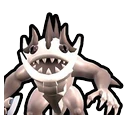
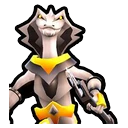
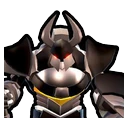
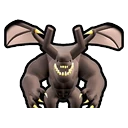
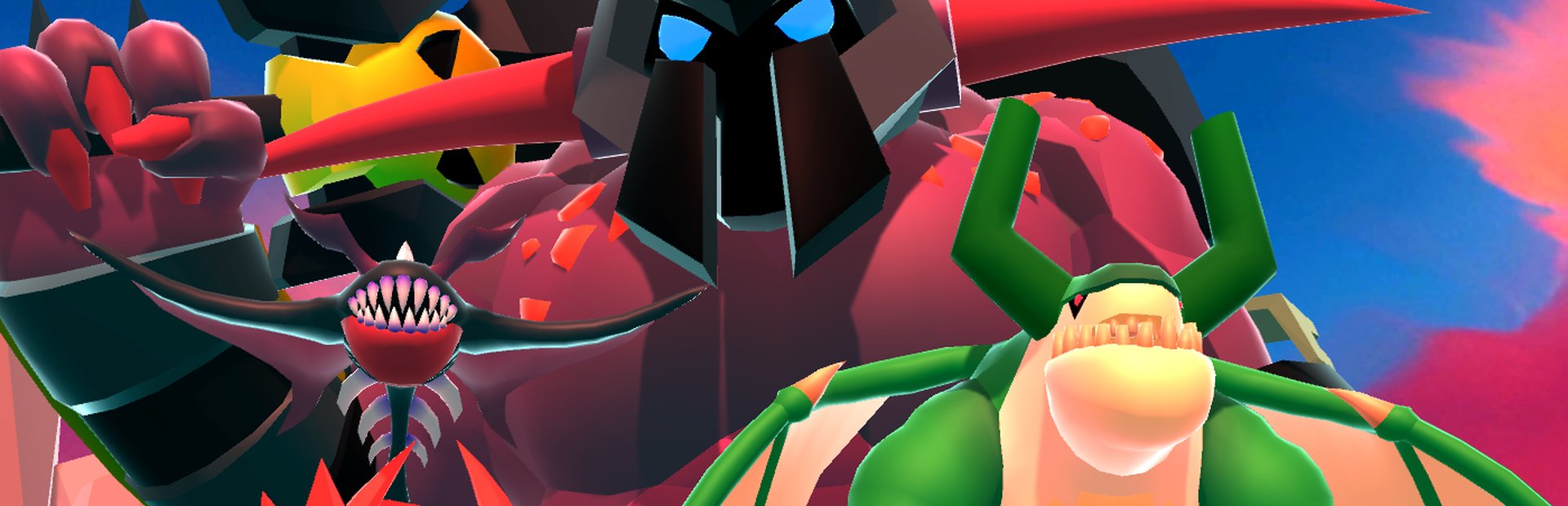
All eight monsters, from the cheap skeleton to the armored titan, each as its own command with its own art.

  • One command per monster, plus a random one
  • Quantity per summon: one, or a whole wave
  • Automatic team (the viewer's) or forced to blue or red

The gift ladder

Your economy

Map small gifts to cheap troops and big ones to the heavyweights; likes, follows and shares count too.

  • Small gift → skeleton; big gift → titan
  • Like, follow and share milestones as free reinforcements
  • Gift multiplier: 5 roses, 5 monsters
PLATFORMS

Connect where you stream

TikTok, Twitch, Kick, YouTube and Starvios. Connect one or several: triggers work the same wherever the event comes from.

TikTok

Native — Recommended

Direct connection to your TikTok Live from the app. No extra software or accounts.

  • Built-in WebView2 login
  • Gifts, follows, likes, chat and share
  • No external dependencies

TikFinity

Bridge

If you already use TikFinity for alerts or overlays, OverInteractive links over WebSocket and reuses your session.

  • Lives alongside your existing overlays
  • WebSocket localhost:21213
  • Same event coverage as native

Twitch

OAuth + EventSub

Device Code Flow login and real-time event subscriptions. Map channel point rewards, subs, bits and follows.

  • Channel points by rewardId
  • Subs, bits, follows, raids
  • Safe for your account — official OAuth

Kick

OAuth + Webhooks

OAuth login and official events over webhooks. Map Kicks, subs and follows from your Kick channel.

  • Kicks, subs and gifted subs
  • Follows and chat
  • Works alongside TikTok, Twitch and YouTube

YouTube

Just your @handle

Connect your YouTube live by typing your @handle, no sign-in needed. Map Super Chats, Super Stickers, memberships and chat messages.

  • Super Chat and Super Sticker by amount
  • New members, milestones and gifted memberships
  • Chat and emotes

Starvios

Just your channel

Connect your Starvios live by typing your channel. Map Starvies, subs, follows, raids, Star Showers and chat messages.

  • Starvies by amount
  • Subs and gifted subs
  • Chat, follows and raids
COMPATIBILITY

No mod: the game is already set up

League of Monsters ships its own webhook API. OverInteractive talks to it over HTTP inside your PC — nothing is installed or modified in the game.

Good to know

  • No loader and no mod to install: the app treats the game as ready once its webhooks are listening.
  • The webhooks are enabled in the game's own settings and only listen on your PC.
  • Multiplayer works too: your monsters come in on your side (blue if you created the room, red if you joined).
  • The game is made by GameTik Studio and bought separately; OverInteractive neither ships nor modifies it.
Getting started

Ready in 4 steps

Nothing to install on the game side: it just has to be open with its webhooks enabled.

  1. 01

    Open OverInteractive

    Go to League of Monsters in the game list: no path and no install needed.

  2. 02

    Open the game

    With League of Monsters running and its webhooks enabled, the app marks it as connected.

  3. 03

    Map your gifts

    Start from the example profile: sides from chat and a monster ladder by gift.

  4. 04

    Go live

    Start the fight and let chat decide which side wins.

See the full step-by-step guide →

Command list

Everything your audience can trigger

Commands ready to map to gifts, rewards or chat commands.

Join Blue Team

Teams

The viewer joins the blue team. Wire it to a chat trigger with the word you want (e.g. "!blue") — until the fight ends the viewer cannot switch sides.

Stacks

Join Red Team

Teams

The viewer joins the red team. Wire it to a chat trigger with the word you want (e.g. "!red") — until the fight ends the viewer cannot switch sides.

Stacks

Skeleton

Monsters

Spawns the sword-and-shield skeleton (ID 0), the cheapest fighter.

Stacks

Brute

Monsters

Spawns the axe-wielding brute (ID 1).

Stacks

Spiker

Monsters

Spawns the spiky round beast (ID 2).

Stacks

Shaman

Monsters

Spawns the caped lizard shaman (ID 3).

Stacks

Manta

Monsters

Spawns the flying toothed manta (ID 4).

Stacks

Dark Knight

Monsters

Spawns the armored knight with a halberd (ID 5).

Stacks

Bat Demon

Monsters

Spawns the winged bat demon (ID 6).

Stacks

Titan

Monsters

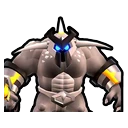
Spawns the giant armored titan (ID 7), the heaviest of the roster.

Stacks

Random Monster

Monsters

Spawns one of the 8 monsters at random.

Stacks
REQUIREMENTS

Requirements

SystemWindows 10 or 11
GameLeague of Monsters (GameTik Studio, paid)
AppOverInteractive (free)
PlatformTikTok Live, Twitch, Kick, YouTube or Starvios

Frequently asked questions

Your stream, in your audience's hands

Download OverInteractive and let chat decide which monster hits the field.

Download free