● Only Up!

A 3 km climb with your chat below

Connect TikTok Live, Twitch, Kick, YouTube or Starvios and let every gift decide whether the climber goes up or straight back down. There are no checkpoints: one fall costs the whole run.

17Commands
6Categories

How an event travels

From your viewer's gift to the climber falling, in about one frame.

TikTok / Twitch

A gift, reward or follow from your audience.

OverInteractive

The app receives the event and sends the command to the mod over a local socket.

Mod (UE4SS)

Only Up! is Unreal Engine 5: the mod loads through UE4SS and touches the character, the camera and the world live.

Only Up!

The climber goes limp, flies off, or lands 200 metres higher.

No code

Everything is handled from the app. No programming, no editing game files.

01

Install the app

Download OverInteractive for Windows and install it in seconds.

02

Connect your platform

Link your TikTok Live, Twitch, Kick, YouTube or Starvios account from the app.

03

Point at the folder

The game is no longer on Steam, so you point at its folder once and the app installs UE4SS and the mod.

04

Launch and climb

Open the game from the app and start your interactive run.

What they can do

Your chat moves the climber up and down

Effects ready to map to gifts, rewards or chat commands.

Sabotage

The star

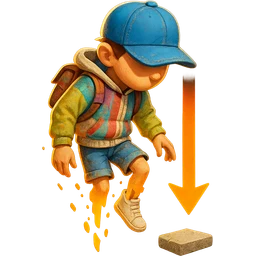
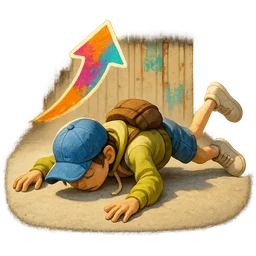
In a game with no checkpoints, dropping you is the most expensive effect there is.

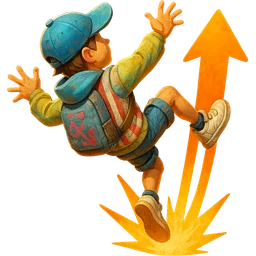
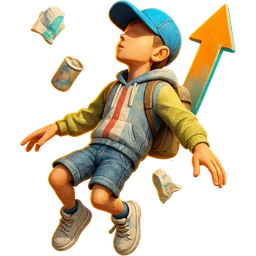
  • Ragdoll: the climber goes limp and collapses wherever they are
  • Launch: throws them straight up and lets them land wherever
  • No jump: takes the jump away in a game made of jumping
  • Back to the start: all the way down to the bottom
Boosts

In your favour

What turns an impossible stretch into a first-try one.

  • Moon gravity and super jump for ledges that take three tries
  • Slow motion: precision on demand
  • Walk on thin air for a few seconds
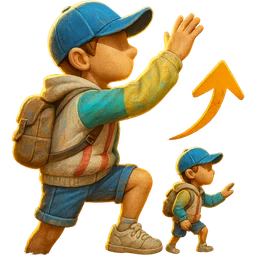
  • Teleport upwards, by however many metres you choose

The whole map

The roulette

Only Up! loads the entire map from the first frame, so chat can send you to any landmark on the route.

  • 21 landmarks: the bus, the ferris wheel, the helicopter, Babel, the summit
  • Random: reward or punishment depending on which one comes up
  • Pitch-black night and thick fog so you cannot see where to jump
  • Giant, tiny, first person and a camera impossible to aim
PLATFORMS

Connect where you stream

TikTok, Twitch, Kick, YouTube and Starvios. Connect one or several: triggers work the same wherever the event comes from.

TikTok

Native — Recommended

Direct connection to your TikTok Live from the app. No extra software, no extra accounts.

  • Login with built-in WebView2
  • Gifts, follows, likes, chat and share
  • No external dependencies

TikFinity

Bridge

If you already use TikFinity for alerts or overlays, OverInteractive links to it over WebSocket and reuses your session.

  • Plays nicely with your existing overlays
  • WebSocket localhost:21213
  • Same event coverage as native

Twitch

OAuth + EventSub

Device Code Flow login and real-time event subscription. Map channel point rewards, subs, bits and follows.

  • Channel Points by rewardId
  • Subs, bits, follows, raids
  • Safe for your account — official OAuth

Kick

OAuth + Webhooks

OAuth login and official events over webhooks. Map Kicks, subs and follows from your Kick channel.

  • Kicks, subs and gifted subs
  • Follows and chat
  • Works alongside TikTok, Twitch and YouTube

YouTube

Just your @handle

Connect your YouTube live by typing your @handle, no sign-in needed. Map Super Chats, Super Stickers, memberships and chat messages.

  • Super Chat and Super Sticker by amount
  • New members, milestones and gifted memberships
  • Chat and emotes

Starvios

Just your channel

Connect your Starvios live by typing your channel. Map Starvies, subs, follows, raids, Star Showers and chat messages.

  • Starvies by amount
  • Subs and gifted subs
  • Chat, follows and raids
COMPATIBILITY

Works with the copy you already own

Only Up! was pulled from Steam in 2023, so it cannot be bought again. If it is in your library or you kept the folder, the mod still loads: it is Unreal Engine 5 and it goes in through UE4SS.

Good to know

  • The app installs UE4SS and the mod for you: nothing extra to download or configure.
  • Since the game no longer resolves through Steam, you point at its folder once and the app launches it from there.
  • The mod lives in its own UE4SS folder: deleting it leaves the game exactly as it was.
  • The entire map is loaded from boot, so landmark teleports work at any point in the climb.
Install

Ready in 4 steps

The app installs UE4SS and the OverInteractive mod into your Only Up! folder.

  1. 01

    Open OverInteractive

    Find Only Up! in the app's library.

  2. 02

    Point at the folder

    The game is not on Steam: pick its folder by hand or let the app auto-detect it.

  3. 03

    Install the mod

    One click installs UE4SS and the OverInteractive mod.

  4. 04

    Launch and go live

    Open the game from the app, map gifts to commands and start your stream.

See the full step-by-step guide →

Command list

Everything your audience can trigger

Commands ready to map to gifts, rewards or chat commands.

Ragdoll

Sabotage

The climber goes limp and collapses. In a game with no checkpoints, this is the one that hurts.

5s

Launch

Sabotage

Throws the climber straight up. Where they land is their problem.

No Jump

Sabotage

Takes the jump away entirely. In a game made of jumping between ledges, this is the harshest one in the catalog.

12s

Moon Gravity

Boosts

Floats up instead of falling.

15s

Super Jump

Boosts

Clears ledges that normally take three tries.

15s

Speed

Boosts

He moves and animates faster while the world stays at normal speed.

15s

Slow Motion

Boosts

Slows the whole world down: precision on demand.

8s

Walk on Air

Boosts

For a few seconds he walks on thin air, wherever he points.

8s

Teleport Up

Teleport

Skips ahead, straight up.

Teleport to Landmark

Teleport

Sends the climber to any landmark on the route - reward or punishment depending on which one. Pick random to let the roulette decide.

Back to the Start

Teleport

All the way back to the bottom. The cruelest command in the catalog.

Resize

Body

Giant or tiny. Both make the jumps read completely differently.

20s

First Person

Body

Switches to first person: no seeing your own feet on the ledge.

20s

Night

World

Drops the world into the middle of the night.

30s

Fog

World

Thick fog: you cannot see where to jump.

20s

Field of View

Camera

Fish-eye or tunnel vision.

15s

Camera Sensitivity

Camera

Multiplies look speed. High values make the camera impossible to aim.

15s
REQUIREMENTS

Requirements

SystemWindows 10 or 11
GameOnly Up! (your own copy — delisted from Steam)
AppOverInteractive (free)
PlatformTikTok Live, Twitch, Kick, YouTube or Starvios

Frequently asked questions

Let your chat decide if you reach the summit

Download OverInteractive, connect your platform and start climbing (or falling).

Download free