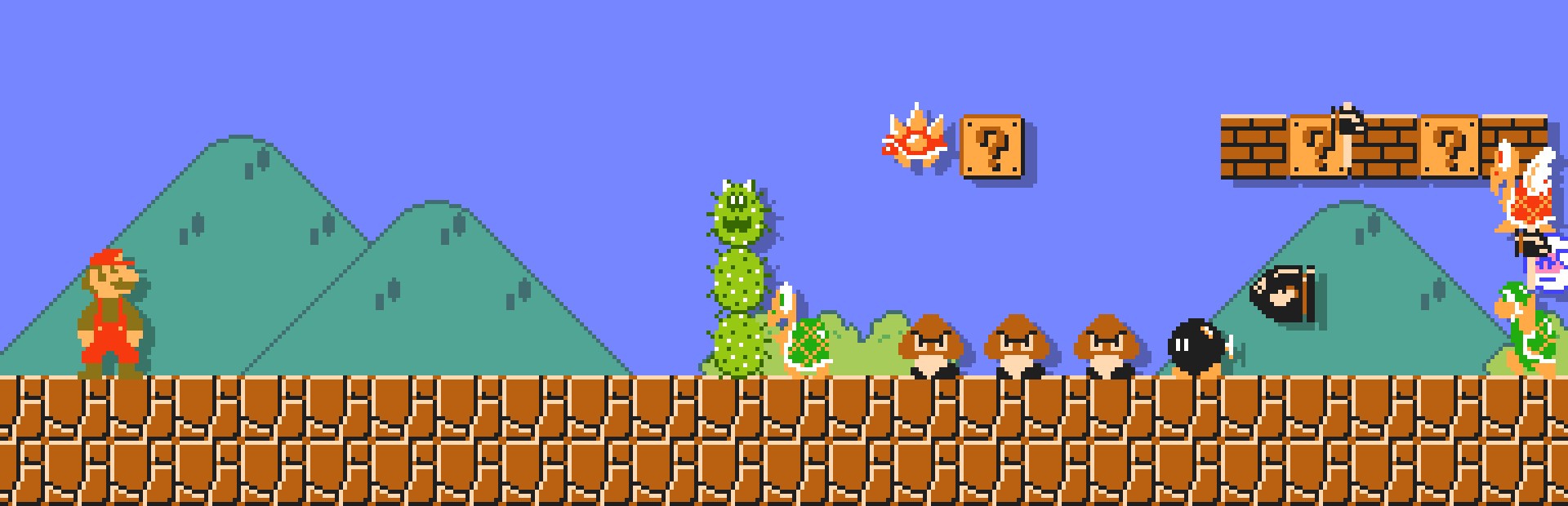
The game's enemies
Goombas, Koopas, Paratroopas, Hammer Bros, Lakitu, Spinies, Bloopers, Cheep Cheeps, Bullet Bills, Bowser's fire and Podoboos, plus Cheep Cheep, Bullet Bill or fire frenzies.
The classic NES Super Mario Bros., in widescreen and with your chat inside: they drop as many enemies as they like (Goombas, Koopas, Hammer Bros, Lakitu and even Boos or Thwomps from other Mario games), give you Mushrooms and Stars, or take away time and lives.
Four stops, in under a second.
From TikTok, Twitch, Kick, YouTube or Starvios: a gift, a follow, likes or a chat command.
Receives the event, checks your active profile for the matching effect and sends it.
The program the app uses to run Super Mario Bros. Remastered on your PC, plus the OverInteractive connection the app adds to it.
The enemy walks in from the right like the level's own, or the effect hits Mario instantly.
Everything happens from the game's status bar, at the bottom of the app.
In the bar below press «Download runtime». It downloads once and the app keeps it in its own folder, apart from any other copy of the game you have.
Press «Choose ROM» and pick your .nes file (if it's in a .zip or .7z, extract it first). The app checks it is the original Super Mario Bros.; if not, the step turns red and tells you why.
The exact list of versions that work and don't is behind the help icon in the bar below.
Press «Enable connection» with the game closed: the app downloads what the game needs to receive effects and puts it in place.
The first time, the game reads your ROM and builds its graphics in a few seconds: don't close the window meanwhile. After that it starts straight away. It opens in widescreen (16:9); you can change it in the game's own Settings.
Before that first launch the app shows you these steps in a window.
When the bar below shows «Connected», pick Super Mario Bros. on the game selection and start with Z (A on a controller). Effects land while you control Mario.
In «Profiles» create an example one in a click or build your own: each gift, follow or chat command fires the effect you pick, with as many enemies as you want.
Each effect is assigned to a gift, a follow, likes or a chat command.
Goombas, Koopas, Paratroopas, Hammer Bros, Lakitu, Spinies, Bloopers, Cheep Cheeps, Bullet Bills, Bowser's fire and Podoboos, plus Cheep Cheep, Bullet Bill or fire frenzies.
Boo, Dry Bones, Bob-omb, Pokey, Goombrat, Spike Top, Monty Mole, Thwomp, Homing Bullet Bill, Fighter Fly and Sidestepper.
Super Mushroom, Fire Flower, a Starman for as long as you choose, Mushrooms, Stars and 1-UPs falling from the sky, lives, coins and extra time.
Damage, kill Mario, take lives or time away, Poison Mushroom, reversed controls, no jumping, running without stopping and hard mode.
Restart the level or skip to the next one.
Unmodified NES Super Mario Bros. (any region works: it's the same game). Romhacks, other Mario games and combo cartridges can't be used. The app doesn't download or distribute ROMs.
Enabling the connection and uninstalling the runtime are done with the game closed.
Effects that arrive on the title screen, in menus, while dying or between levels wait in a queue and fire as soon as you control Mario again (for up to 10 minutes).
By default 100 chat enemies fit at once, which is what the game handles smoothly; the rest wait their turn. In the «Settings» tab you can raise it, lower it, remove it (0) or set a different cap per enemy.
Download OverInteractive for free: this same guide is waiting inside the app, in the game's «Start» tab.
Download free